Murmur: meeting transcripts in Catalan that never leave your Mac.
I built a Mac app that transcribes meetings live, in Catalan and Spanish mixed together, knows who is speaking and never sends the audio anywhere. Six days to build it, and nine more for everything around it.
github.com/quicodomingo/murmur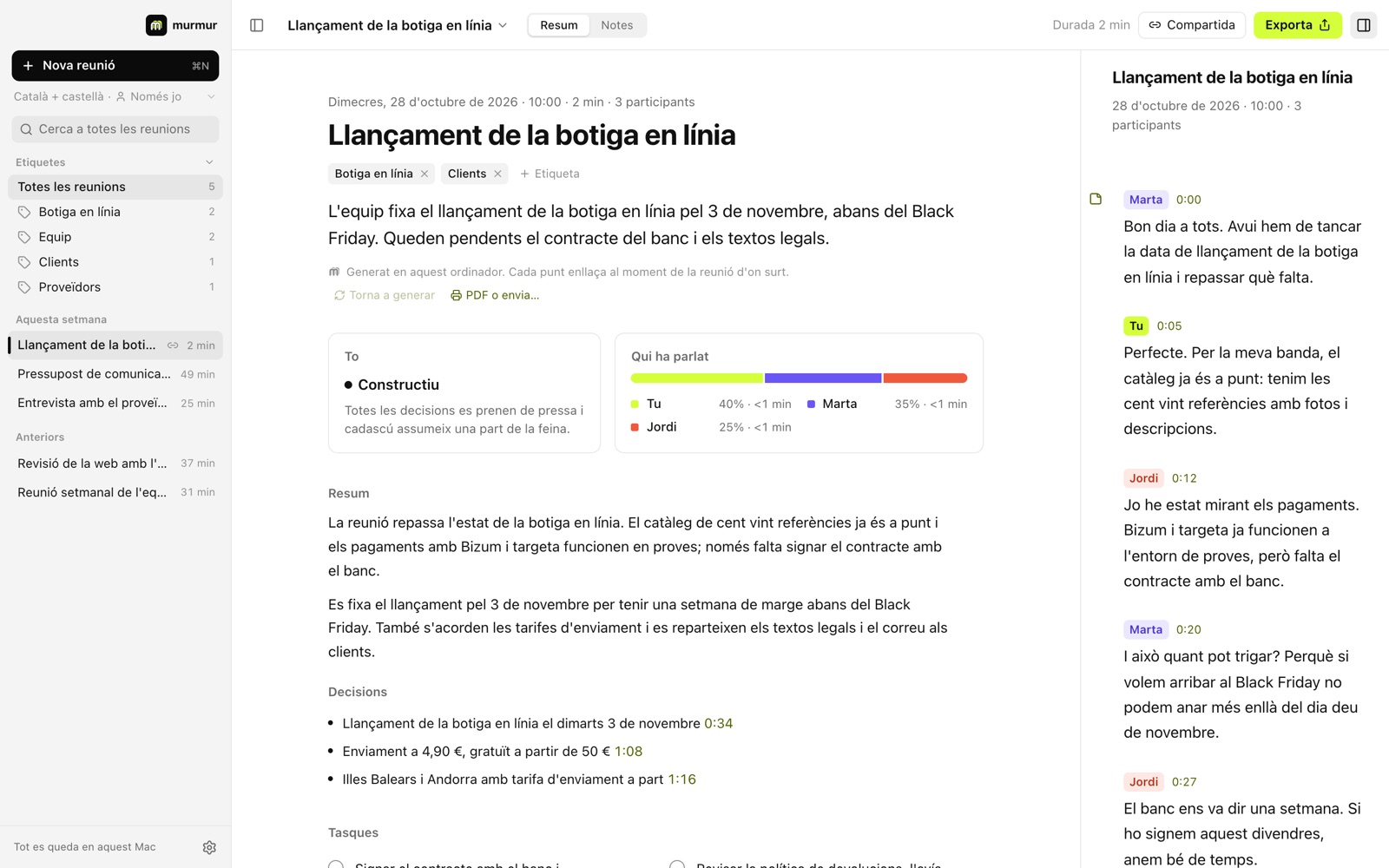
Meeting transcription tools work really well in English. In Catalan, not so much. And when someone switches to Spanish mid-sentence, which in our meetings happens every couple of minutes, the text turns into alphabet soup. On top of that, almost all of them send the audio to a server that isn't yours.
A little over two weeks ago I asked myself a question: can you build a meeting transcriber for Catalan that runs entirely on the Mac? A few days later I had the answer: Murmur, an open-source app with a huge range of options, already on version 0.10.0.
I built it with Claude Code, and here I explain how it went and the problems I ran into along the way.
Measure first
The initial idea was to use NVIDIA's Nemotron. First discovery: it doesn't understand Catalan.
Before choosing anything, I set up a test bench to compare engines on a real meeting: 20 minutes, five people, Catalan and Spanish mixed. We recorded it while talking about precisely this.
The winner wasn't Whisper, the one everybody uses, but a model from the AINA project trained on Catalan and Spanish together. It understands switching language mid-sentence and it's incredibly fast: it transcribes an hour of meeting in 1.2 minutes. Whisper was too slow to use live.
The first prototype in an hour, an incredible app in six days
Within an hour I had a local web page where you talked and the text appeared as you went, with the speakers separated. Ugly, but it worked. That's where the important decisions came from:
- Speaker names and text are corrected inside the transcript itself, not in a separate panel.
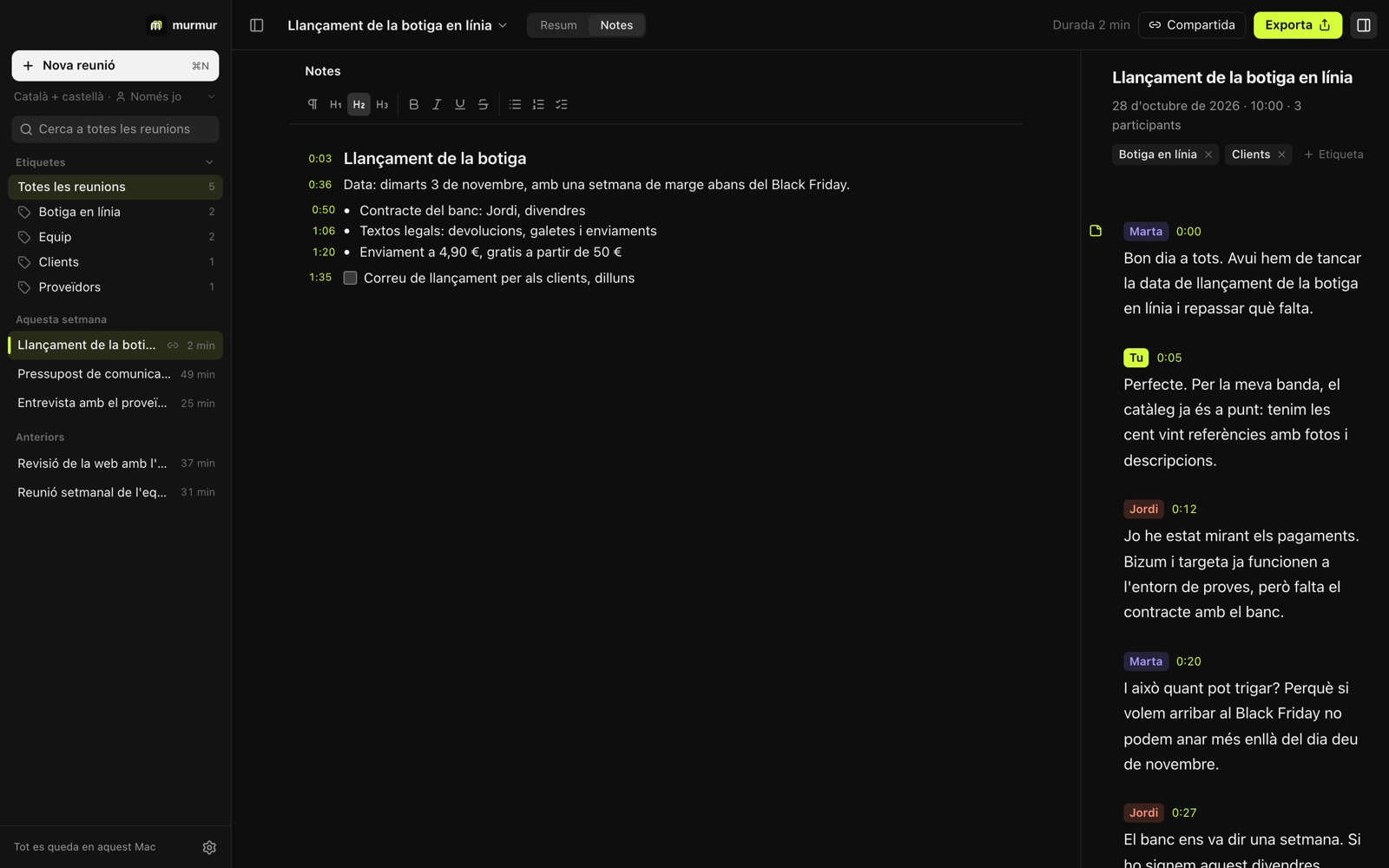
- A space for notes where each line is tied to the minute you wrote it.
- The cloud only if you want it, with your own key. And never the audio: only text.
That same day there was already a real Mac app (Tauri with an engine in Rust, much lighter than Electron), with a name, a logo, three colour themes and Apple's signature, so it opens on any Mac without warnings. Two days later it was already updating itself.
The problems weren't where I expected
Transcribing was the easy part. The hard part was the audio, the memory, and how macOS behaves when you have a video call open.
The echo. On speakers, the microphone picked up the voice from the other end again and the text came out twice. "Granola doesn't have this problem, why do we?" The fix: record the microphone and the call audio on two separate channels, and use the call channel to remove the echo from the microphone.
The sped-up voice. Suddenly, the other end of the call wasn't being recognised. When a calling app turns on macOS voice processing, the audio drops from 48 to 24 kHz without warning, and Murmur was receiving it at double speed. Now it checks every four seconds whether the samples arriving match the clock.
Too many people. In a call between two people, four came out. Meet's compressed sound makes the same voice not sound much like itself. When the meeting ends, Murmur listens to the whole thing again and merges speakers who barely spoke into the most similar one.
To know whether it was working, I marked by hand who was speaking in 34 phrases from the test meeting and used them to tune how voices are grouped. Accuracy went from 75% to 88% live, and reaches 96% with the second pass Murmur does at the end.
Whisper makes things up. It's trained on subtitled videos, and when there's silence it sometimes writes "Subtitles by…". Those chunks are now thrown away.
WordPress, not "worpres"
The live model doesn't add full stops or capitals, and it writes brand names the way they sound: "worpres", "bookomers", "story tenny". So when you stop recording, Whisper listens to the meeting again and rewrites it: WordPress, WooCommerce, storytelling.
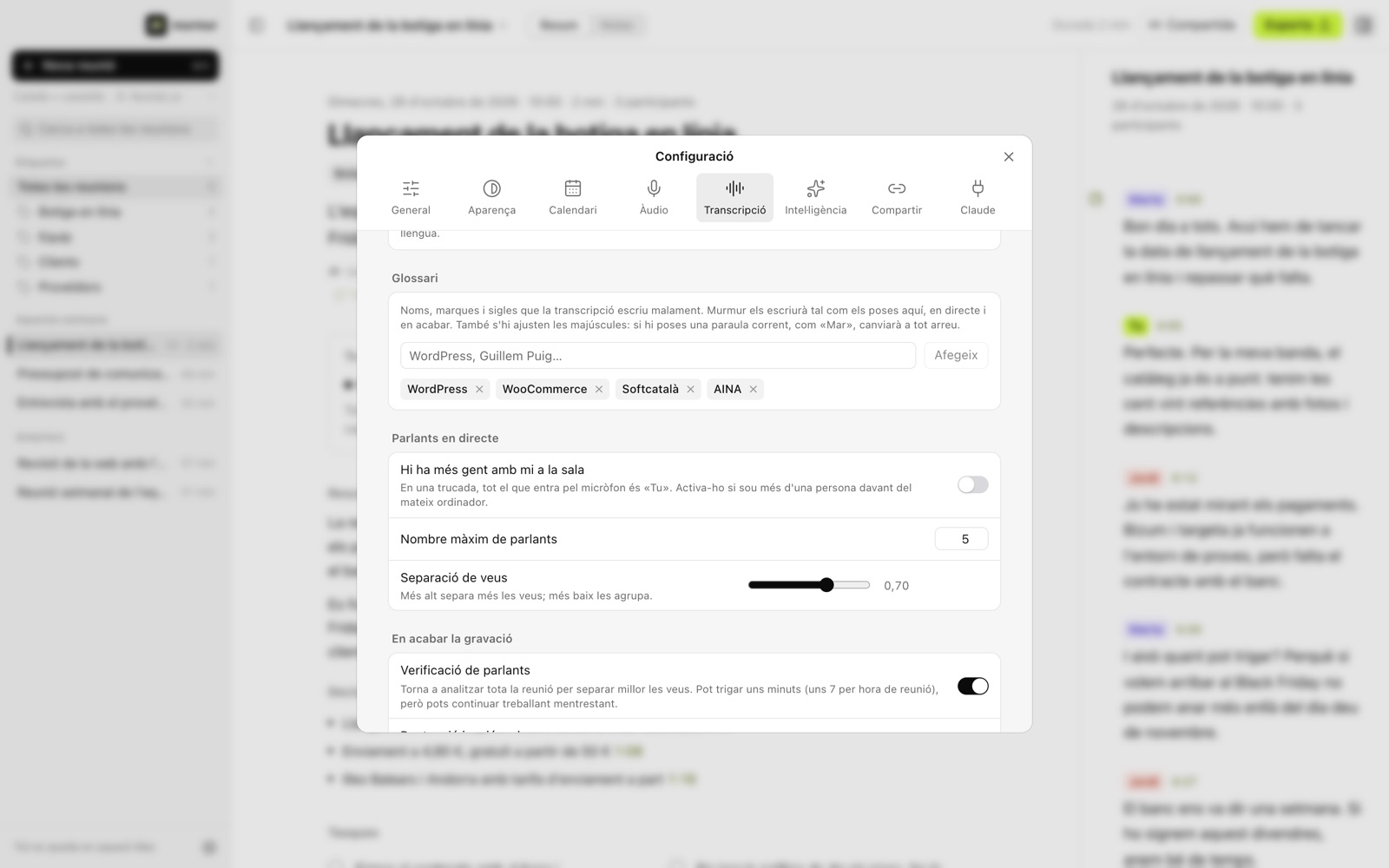
And since this week there's a glossary: you add the names, brands and acronyms you use, and Murmur spells them right live as well.
The meeting summary
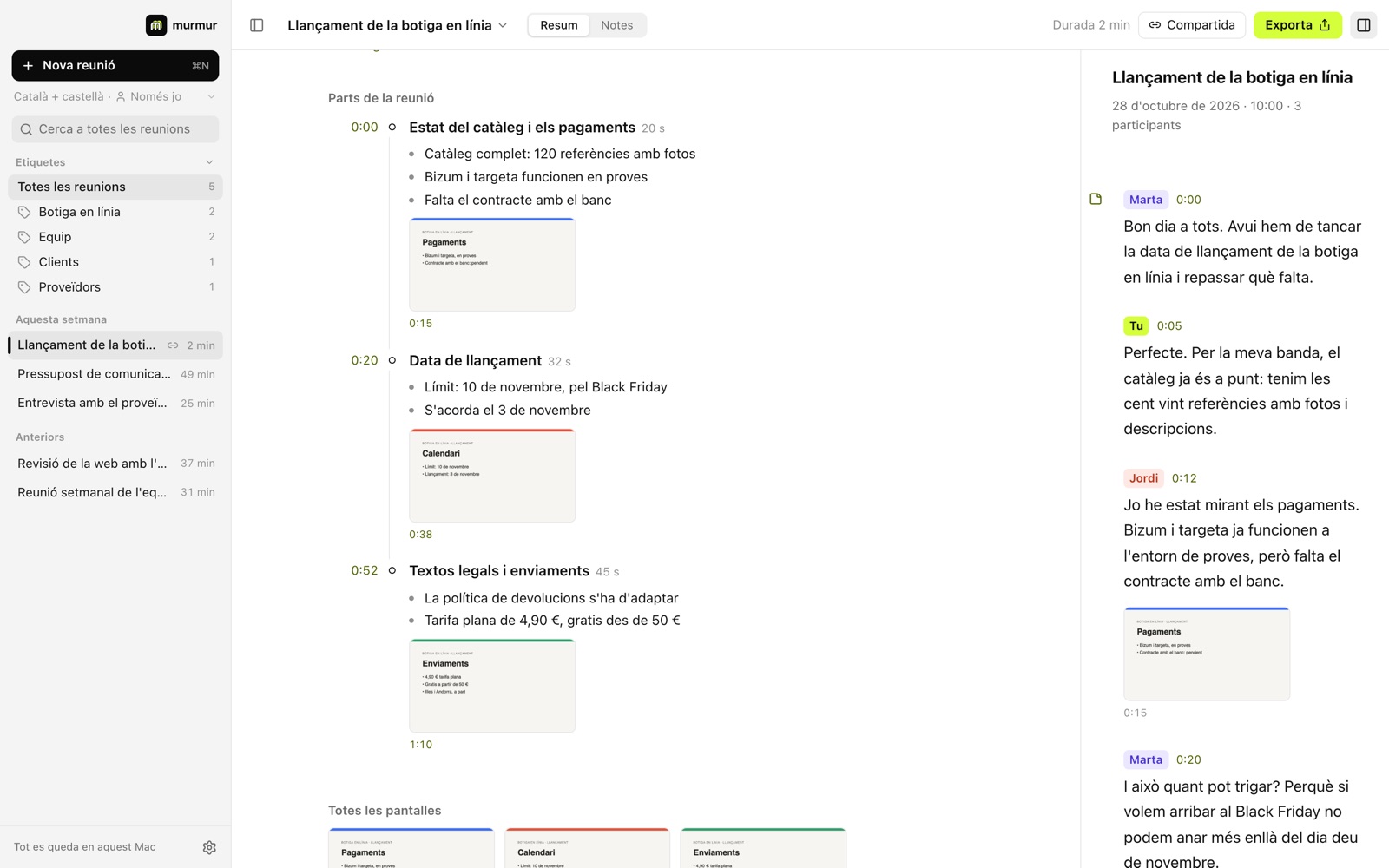
When the meeting ends, Murmur can write a summary of it. It has a title, a short summary, the tone of the meeting, who spoke and for how long, the decisions and the tasks. It also splits the meeting into parts, and every point links to the moment in the conversation it comes from. Tasks can be ticked off, edited and assigned to someone.
The instructions it uses to write the summary can be edited, so you can shape it the way you like.
The summary can be written by a model that runs on your Mac, Google's Gemma, which takes 5.2 GB and works well from 16 GB of memory. Or, if you prefer, by Claude or OpenAI with your own key, stored in the macOS keychain. In that case only the text is sent, never the audio.
Everything around it
The first six days were for building the app. The next nine were for everything that makes it genuinely useful: thirteen versions, each one installing itself through auto-update.
- Screenshots. A small pill at the edge of the screen lets you capture the slides someone is sharing. Each screenshot lands in the part of the meeting where it was taken.
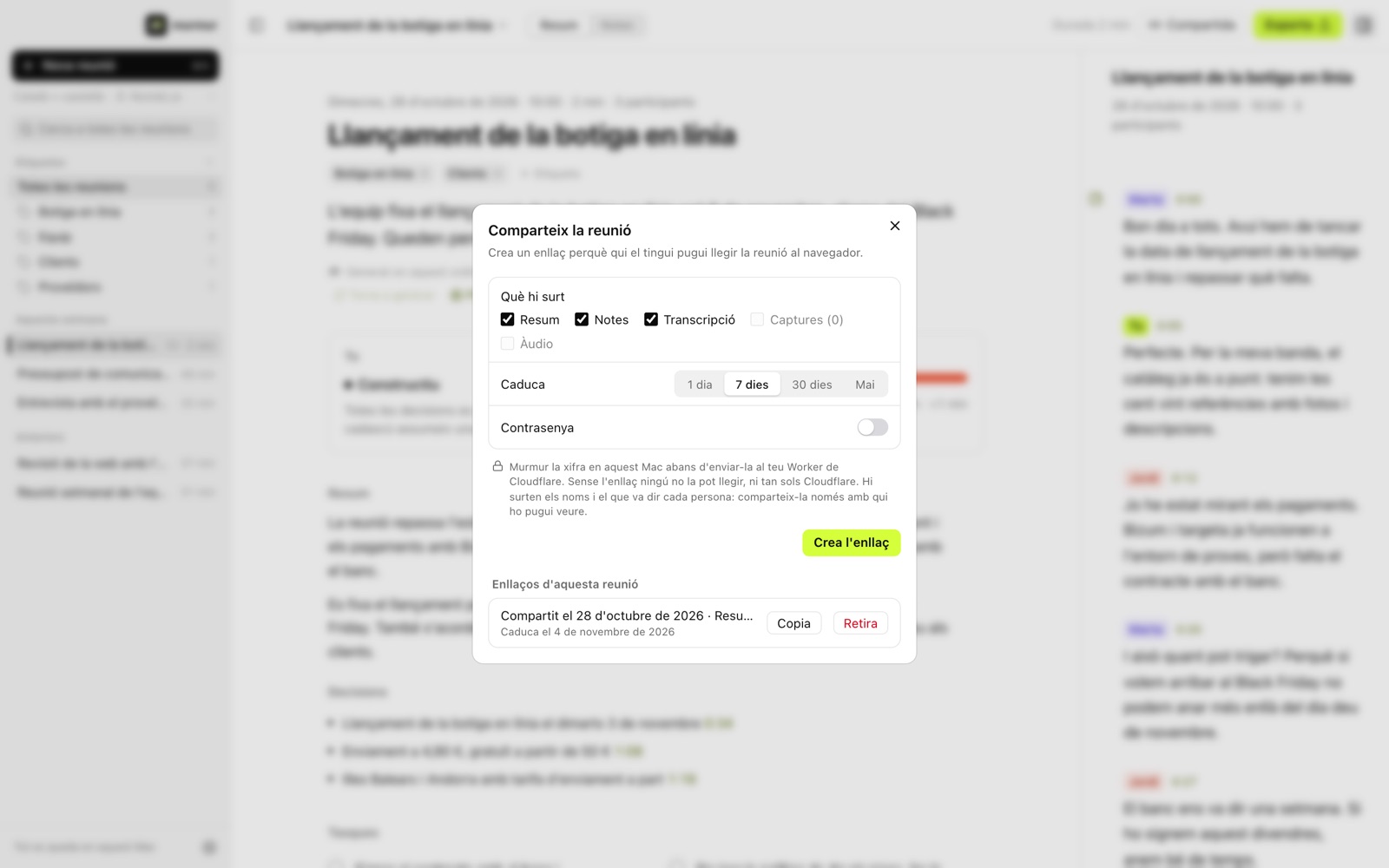
- Sharing without a server. Murmur encrypts the meeting on your Mac and publishes it to your own Cloudflare account, which is free. Murmur has no server, and without the link nobody can read it, not even Cloudflare.
- From any app. You can send audio to Murmur from the Share menu, from Finder or by dragging it onto the window, and it works out which language it's in by itself. Appearing in the Share menu needed an extension Tauri can't build, so there's a hundred-line one in Swift.
- Markdown in your folder. You can export any meeting to Markdown, Word or PDF. And if you choose a folder, Murmur saves the summary, notes and transcript there in Markdown every time a meeting ends. While recording, you can turn this on or off for that meeting.
- The audio, if you want it. Murmur can keep the meeting audio, with both channels, in about 11 MB per hour. That way you can listen again to any phrase from the transcript, or transcribe it again in another language. If you don't turn it on, only the text is saved.
- Three languages. The interface is in Catalan, Spanish and English, and the meeting can be in Catalan, Spanish, both, or English.
A local app that talks to Claude
The last piece is a connector for Claude. If you turn it on, Claude Desktop and Claude Code can read and search your meetings, and even transcribe audio with Murmur. It all happens on your Mac: Claude only gets the text it asks for, never the audio.
So you can ask things like "what did we agree with the supplier last week?" without opening a single meeting.
Want to try it?
Murmur runs on any Mac with Apple Silicon (M1 or later) and macOS 14.2 or newer. You can download it here, and the code is on GitHub under the MIT licence.
If you'd like to lend a hand, what would help me most is recordings of real meetings with a hand-made transcript, to measure how well it does. Always with the permission of everyone in them, of course.
And if you miss something, or something doesn't work properly, suggestions for new features and bug reports are welcome: open an issue on GitHub or write to me.