Building a custom launcher for my Google Smart TV.
Vibe-coding a clutter-free Android TV launcher: in Catalan, with my apps in my order and whatever I'm halfway through on Stremio.
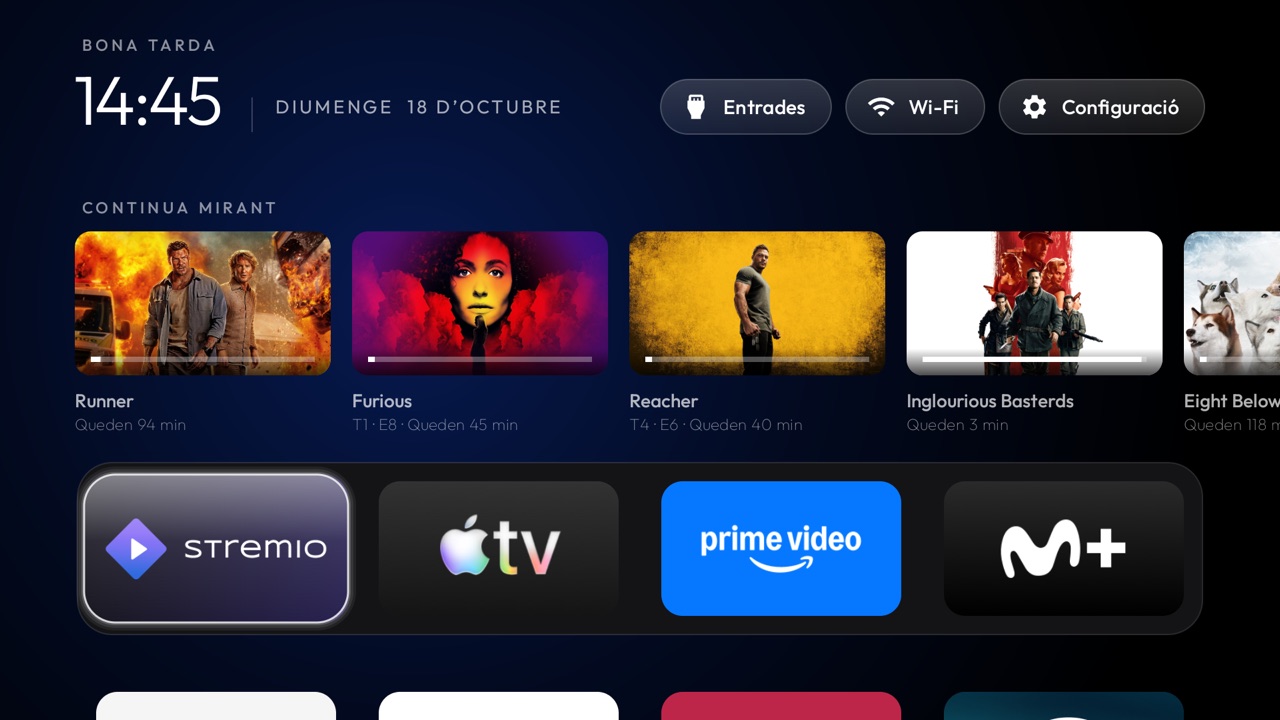
I have one of those HDMI sticks running Google TV (a Homatics Dongle G 4K). It works well, but the home screen is a shop window full of stuff: recommendations, sponsored content, banners and other things I've never asked for and never use. I just want to find my apps and carry on watching whatever I was watching.
This morning I came across tv-vibehack, a vibe-coded project by Gathin23 that does exactly that: it strips the clutter out of Android TVs and gives them a simple launcher, inspired by the Apple TV one. A black background, a dock with a few apps and nothing else.
I started playing with it and, one thing leading to another, I ended up making a fork with my own improvements. All the credit for the base goes to them; what I describe here is what I added.
First: getting it to work
The original launcher was designed for Xiaomi TVs running older versions of Android. On my dongle, with Android 14, Google Play Protect blocked it outright: "unsafe app". I had to update it so Android would treat it as a modern app, and tell it explicitly which apps it was allowed to see (otherwise the grid came up empty).
Nothing glamorous, but without it I couldn't start tinkering.
Arranging apps from the remote
In the original, the order of the apps was set in a file, and you had to rebuild the project to add or remove an app, or just to move one. Now, if you hold down OK on an app, a menu pops up to move it, hide it, see its info or uninstall it.
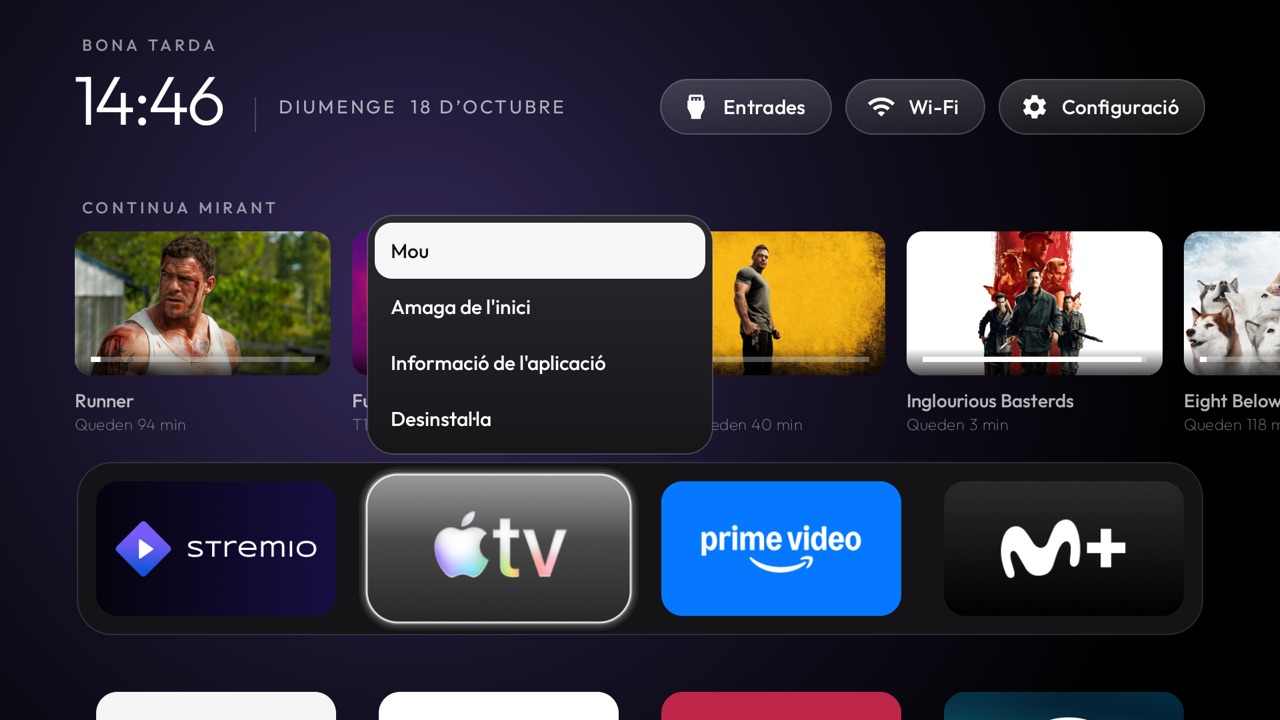
To move it, you nudge it with the arrow keys to where you want it and press OK. The order is saved on the TV.
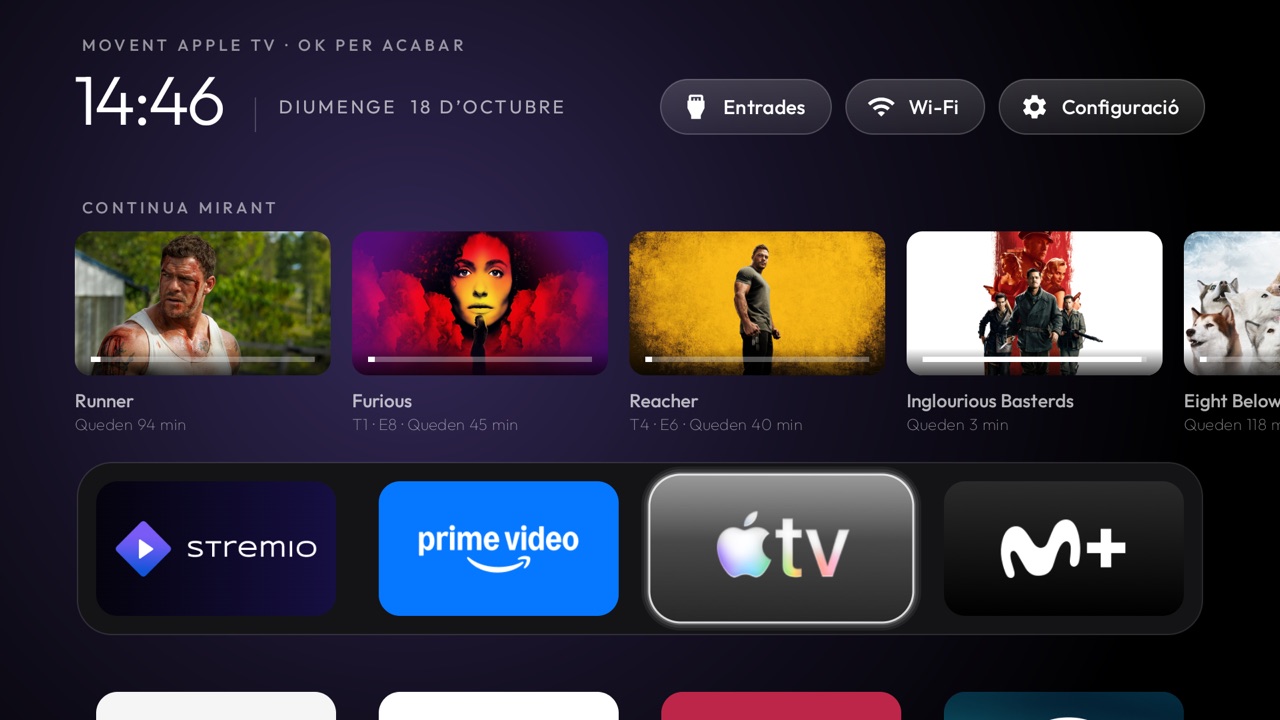
In Catalan
The whole launcher is translated into Catalan, dates included ("diumenge 18 d'octubre"). Since Google TV doesn't offer Catalan as a system language, I also added a language picker to the app's settings menu.
"Continue watching", with Stremio
This is where things got interesting. My original idea was a single "Continue watching" row with everything: Netflix, Prime, Disney+, HBO, Movistar... But Android doesn't allow it: each app keeps its own progress, and only Google's home screen can get to it.
What you can do is connect to Stremio, whose data is open. You scan a QR code with your phone, log in, and that's it: above the dock you get the films and episodes you're halfway through, with the time left and a progress bar. Press OK and Stremio opens straight to that episode.
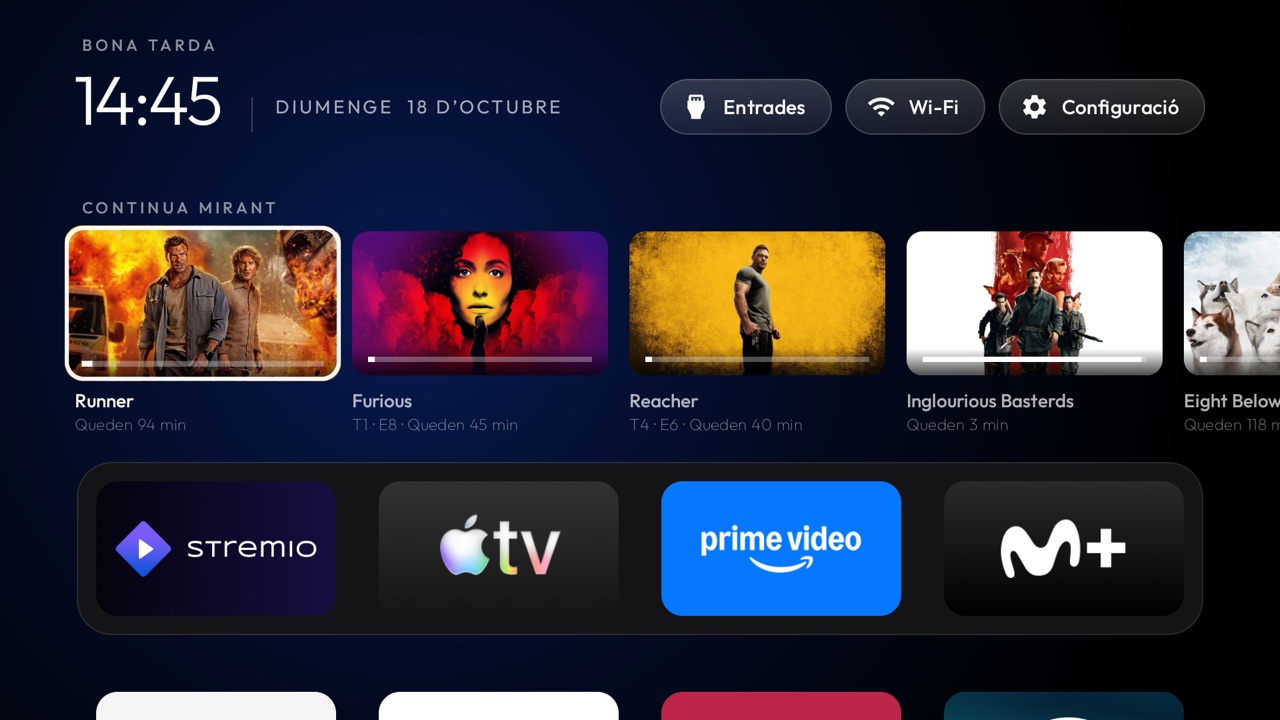
It also tells you about the next episode of a series when you finish one, and about new episodes of the shows you're up to date with.
"Coming up"
Ever since the TVTime app stopped working, I keep losing track of when each new episode of the shows I follow comes out. So I added a section below all the apps with a list of upcoming episodes of what I'm watching, sorted by date. A sort of TV calendar.
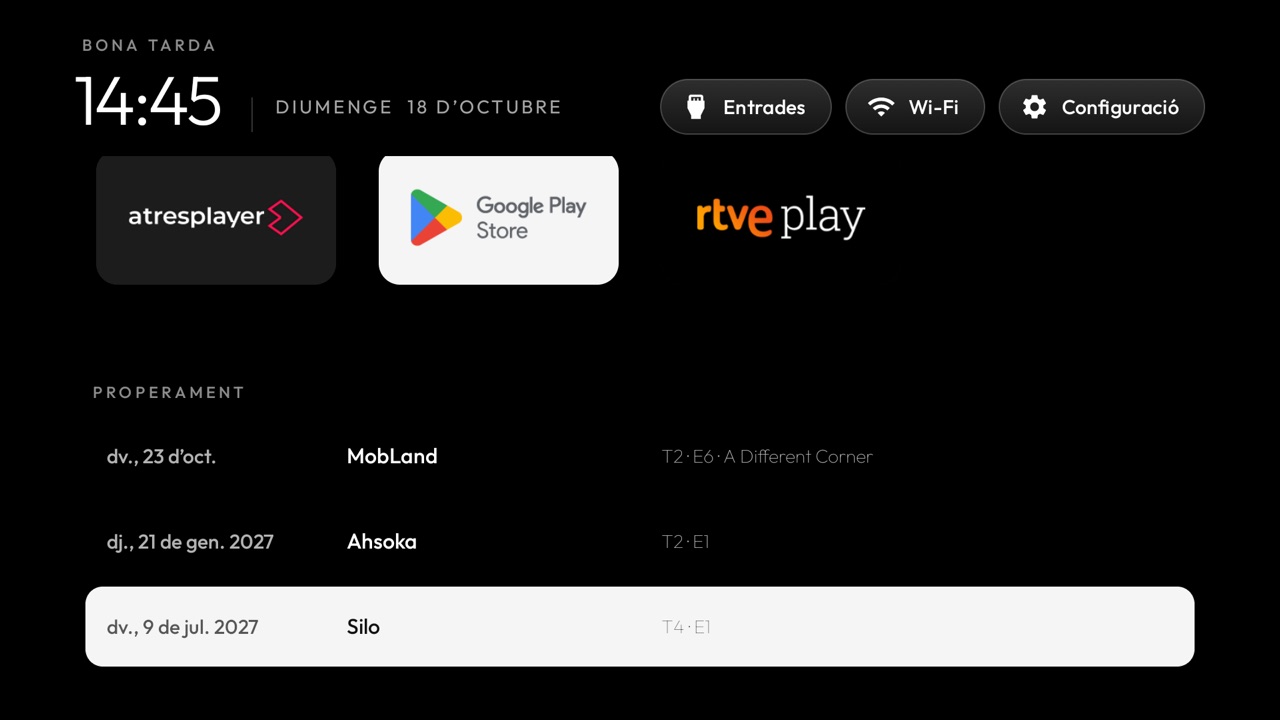
Everything can be switched off
Not everyone will want these rows, so you can turn them on or off in the settings menu. If you switch both off, the launcher doesn't even connect to the internet.
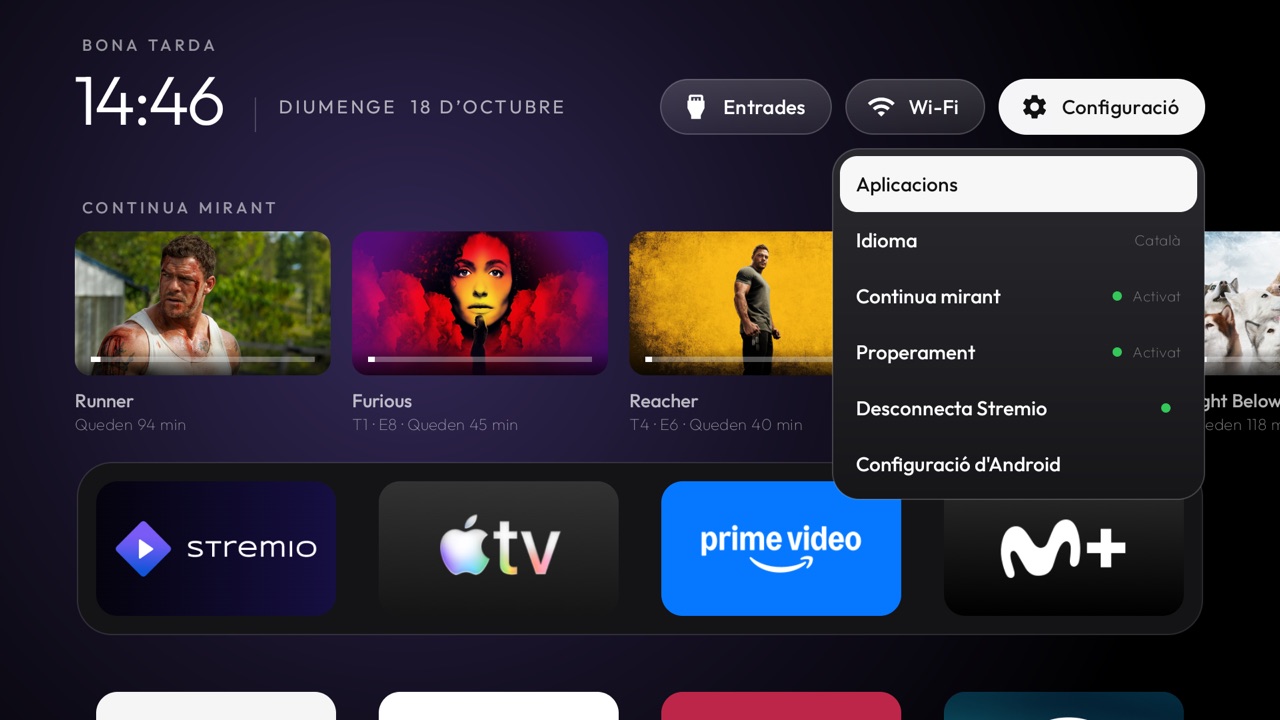
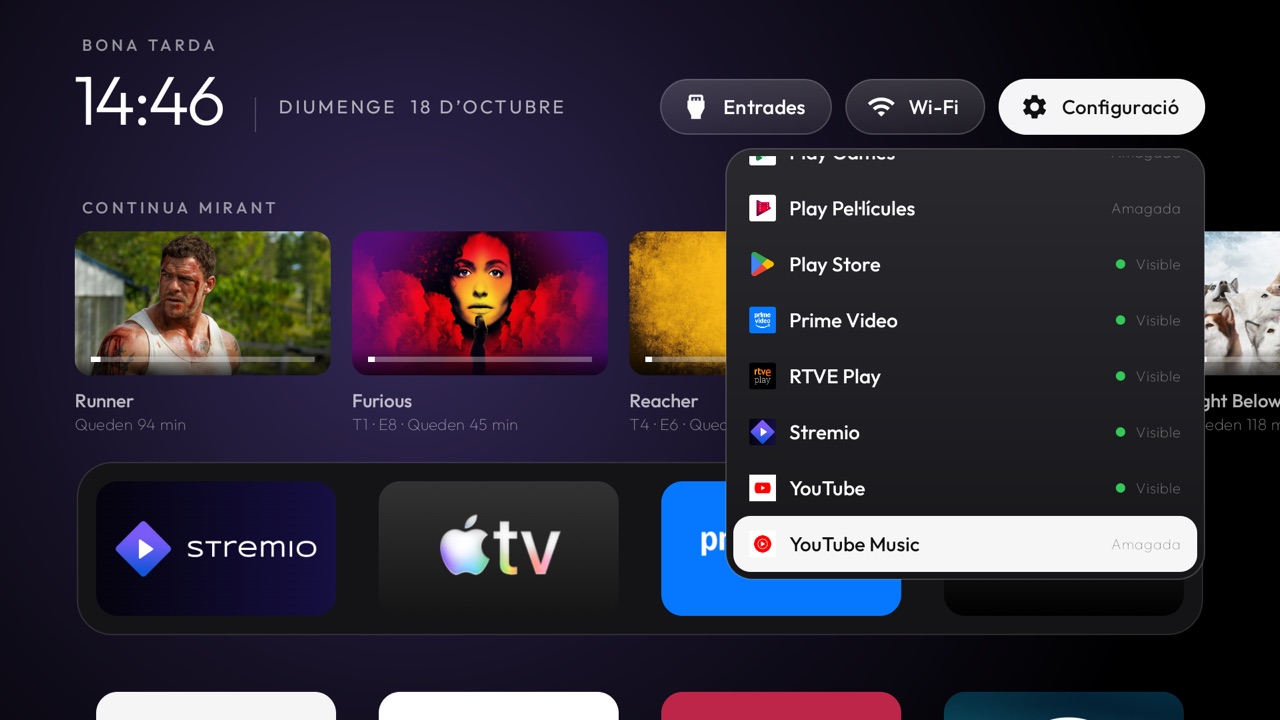
From the same menu you can also show or hide any app, and jump straight to the system screen to stop one that has frozen (I don't know about you, but Stremio freezes on me all the time).
Giving back to the original project
Since the project is open source, I've sent two improvements to the original so everyone can benefit: the one that makes it work on Android 14 and the Catalan translation. The rest (Stremio, "Coming up"...) stays in my fork, because the original wants to stay small and offline, which I think is fair.
Want to try it?
My fork is at github.com/quicodomingo/tv-vibehack, with instructions for installing it over ADB and for going back whenever you like. And if you just like the original idea, check out tv-vibehack: that's where it all started.